Work Items
Work items are the core of Cornerstone. Each work item represents a task in your construction project -- from "Install kitchen cabinets" to "Schedule electrical inspection."
Overview
Work items support:
- Statuses -- Not Started, In Progress, Completed, or Blocked
- Dates and scheduling -- Start dates, end dates, durations, and scheduling constraints
- User assignment -- Assign tasks to any user on your instance
- Areas -- Hierarchical location assignment (e.g., "House / Ground Floor / Kitchen") with the full ancestor path shown as a breadcrumb wherever the work item appears
- Notes -- Timestamped comments with author attribution
- Subtasks -- Checklist items within a work item
- Dependencies -- Relationships between work items (what must happen before or after)
- Document links -- Attach documents from Paperless-ngx (contracts, receipts, plans)
Area Breadcrumbs
Every work item now displays the full area ancestor path as a breadcrumb -- for example, House / Ground Floor / Kitchen -- so you always know where a task belongs without having to open its detail page. Breadcrumbs appear on:
- The work item list (next to each row)
- The work item detail page
- Work item pickers (as a secondary line under the title)
- Embedded references from diary entries, invoices, and household items that link to a work item
See Areas & Trades for how areas are organized and nested.
List View
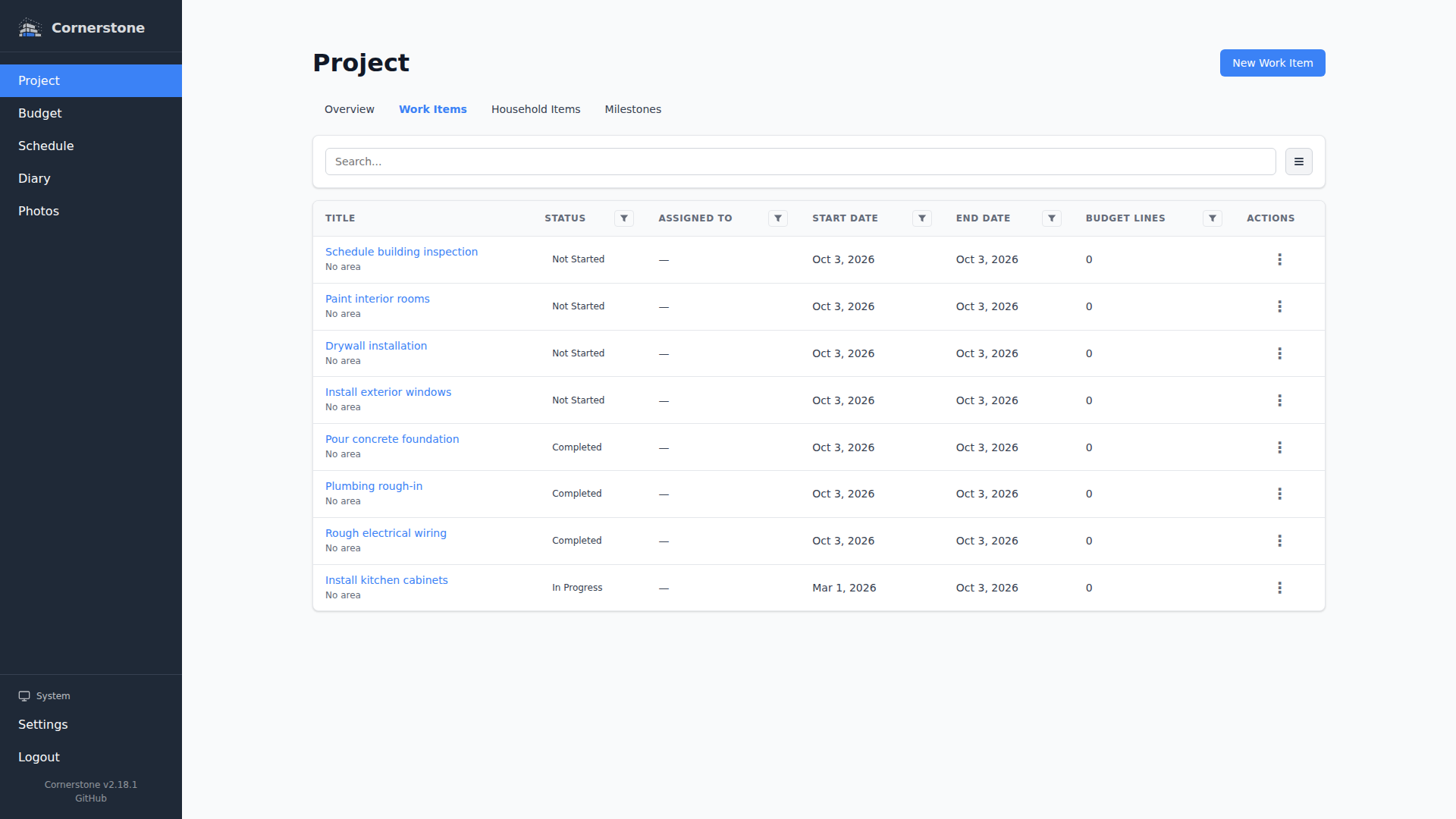
The work items list page provides:
- Search -- Full-text search with debounced input for fast results
- Filtering -- Filter by status, assigned user, area, or budget status
- Sorting -- Sort by title, status, start date, end date, created date, or updated date
- Pagination -- Paginated results for large projects
- Responsive layout -- Table view on desktop, card view on mobile and tablet
All filter and sort settings are synced to the URL, so your view is bookmarkable and shareable.
Filtering by Area
The Area filter on the work items list supports the full area hierarchy:
- Picking a parent area also matches every work item in its descendant areas (no more empty results when you filter by a top-level location).
- A dedicated No Area option lets you find work items that have not yet been assigned to any area -- useful for cleaning up legacy or imported items.
Detail View
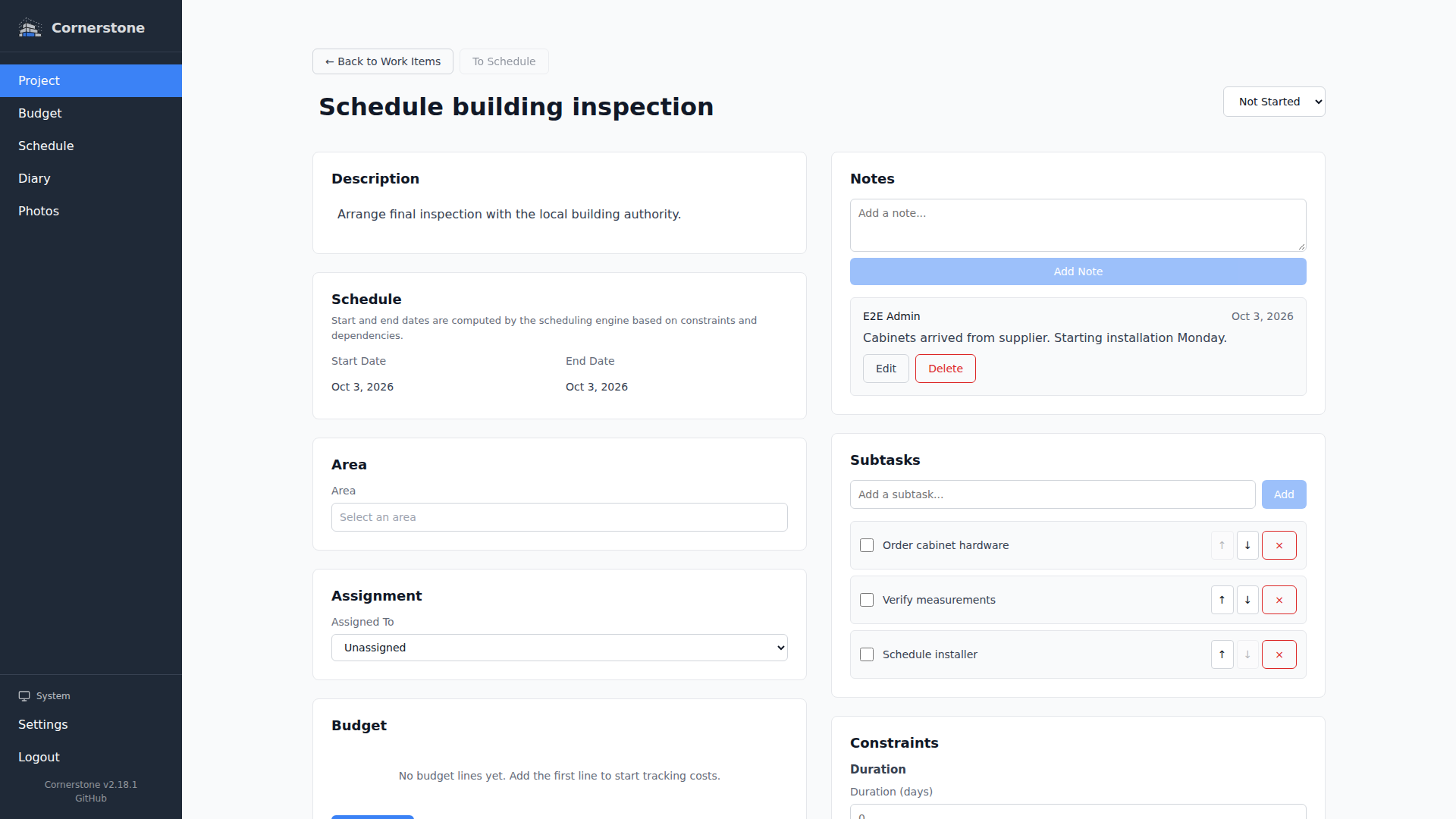
Click any work item to see its full detail page with all fields, notes, subtasks, dependencies, and linked documents.
Next Steps
- Creating Work Items -- How to create and edit work items
- Areas & Trades -- Organize by location and specialty
- Notes & Subtasks -- Add comments and checklists
- Dependencies -- Link work items together
- Keyboard Shortcuts -- Navigate faster with keyboard shortcuts