Household Items
Household items let you track furniture, appliances, fixtures, and other purchases for your home -- separate from construction work items. Each household item has its own lifecycle from planning through delivery, with budget tracking, vendor management, delivery scheduling, and document linking.
Overview
The household items system provides:
- Item Management -- Create, edit, and track household purchases with categories, statuses, vendors, rooms, quantities, and product URLs
- Budget Integration -- Add budget lines with confidence levels, budget categories, and financing sources -- household item costs appear in the project-wide budget overview
- Work Item Linking -- Link household items to work items for installation coordination (e.g., "Kitchen sink" depends on "Plumbing rough-in")
- Delivery Scheduling -- Track order dates, delivery windows (earliest/latest), actual delivery dates, and late detection
- Timeline Dependencies -- Add dependencies on work items and milestones so delivery dates integrate with the project Gantt chart
- Invoice Linking -- Link vendor invoices to household item budget lines to track actual costs
- Document Linking -- Attach documents from Paperless-ngx (product specs, receipts, warranties) to household items
- Areas & Notes -- Assign items to project areas and add timestamped notes
- Subsidy Support -- Apply subsidy programs to household item costs for budget reduction
Categories
Each household item is assigned a category:
| Category | Description |
|---|---|
| Furniture | Tables, chairs, sofas, beds, shelving |
| Appliances | Kitchen appliances, laundry, HVAC units |
| Fixtures | Faucets, light fixtures, door handles |
| Decor | Artwork, curtains, rugs, decorative items |
| Electronics | Smart home devices, speakers, networking |
| Outdoor | Garden furniture, grills, outdoor lighting |
| Storage | Cabinets, closet systems, garage storage |
| Other | Anything that does not fit the above |
Statuses
Household items move through a purchase lifecycle:
| Status | Meaning |
|---|---|
| Planned | Item identified but not yet ordered |
| Purchased | Order placed with vendor |
| Scheduled | Delivery date confirmed |
| Arrived | Item delivered |
Area Breadcrumbs
Household items display the full area ancestor path (e.g. House / Ground Floor / Kitchen) wherever they appear -- list pages, detail pages, pickers, and any work item or diary entry that references them. See Areas & Trades for how the area hierarchy works.
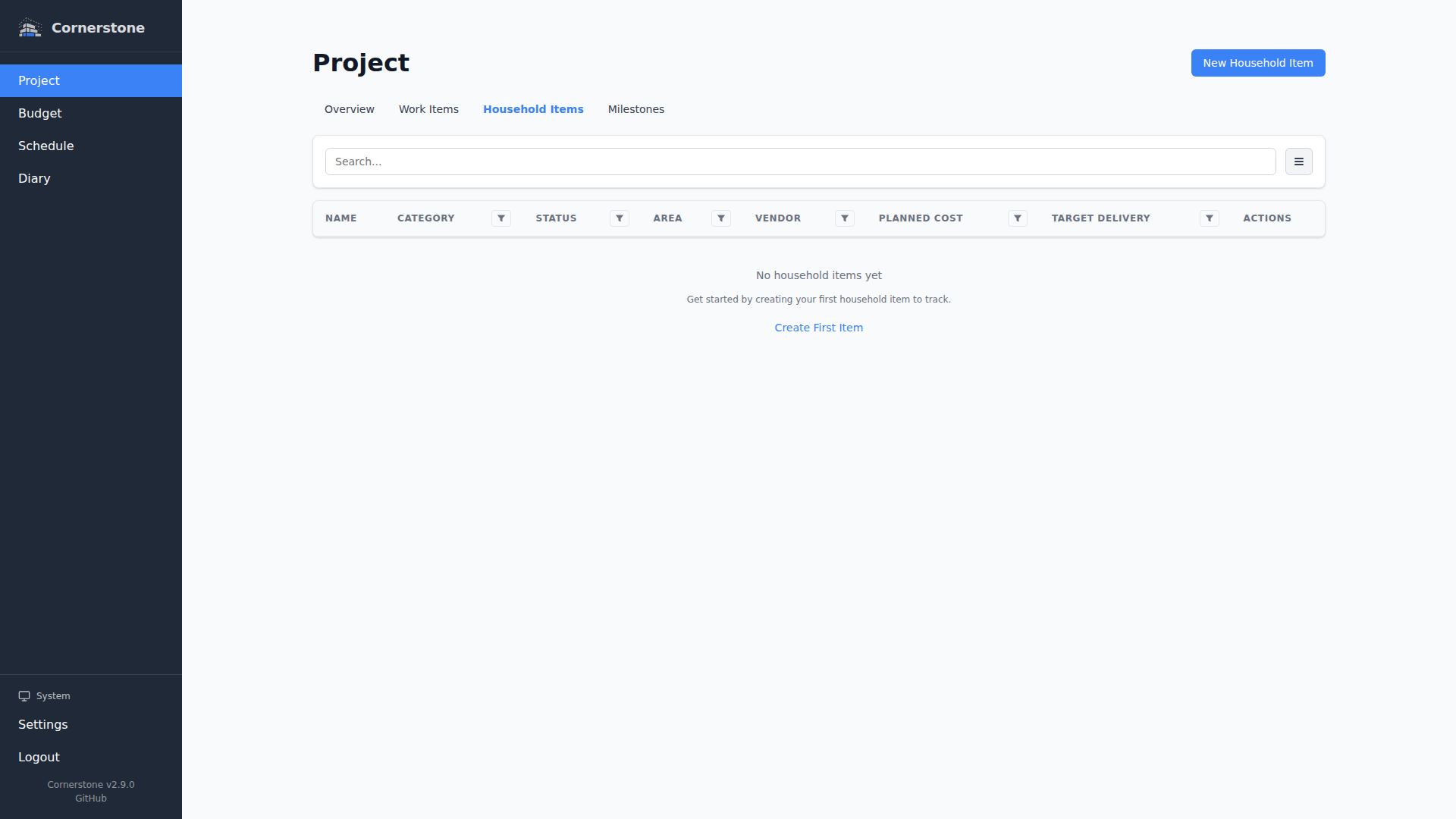
List View
The household items list page provides:
- Search -- Full-text search across item names and descriptions
- Filtering -- Filter by category, status, room, vendor, area, or budget status
- Sorting -- Sort by name, category, status, room, order date, delivery date, or creation date
- Pagination -- Paginated results for large item lists
- Responsive layout -- Table view on desktop, card view on mobile and tablet
All filter and sort settings are synced to the URL, so your view is bookmarkable and shareable.
Filtering by Area
The Area filter supports the full area hierarchy: picking a parent area also matches every descendant area. A dedicated No Area option surfaces items that have not yet been assigned to any area.
Detail View
Click any household item to see its full detail page with all fields, budget lines, notes, dependencies, linked work items, linked documents, and applied subsidies. Fields can be edited inline by clicking on them.

Next Steps
- Creating & Editing Items -- How to create and manage household items
- Budget & Invoices -- Track costs and link invoices
- Work Item Linking -- Coordinate installation with work items
- Delivery & Dependencies -- Schedule deliveries with timeline dependencies